If you've scrolled through tech Twitter lately, you've probably seen the narrative: AI is going to 10x your productivity and make coding obsolete. VCs are shouting about it. Startup founders are building entire companies on this promise. But there's a dirty little secret nobody wants to admit—the data doesn't match the hype.
Let's talk about what's actually happening with AI coding tools in 2025, why they're both overhyped and still worth using, and most importantly, how to actually use them without wasting your time.
The Productivity Myth: What The Research Actually Says
Here's where things get uncomfortable for AI cheerleaders. A 2025 study by METR (Model Evaluation & Threat Research) tested experienced open-source developers working on their own repositories using state-of-the-art AI tools like Cursor Pro with Claude 3.5 Sonnet. The result? Developers took 19% longer to complete tasks with AI assistance than without it.
This directly contradicts the earlier Microsoft study that got everyone excited—the one claiming GitHub Copilot delivered a 55% speed boost. That research focused on less experienced developers working on simple tasks. When you throw experienced developers at complex problems? The AI becomes a net productivity drain.
Bain & Company's 2025 Technology Report paints an equally sobering picture. They surveyed companies using generative AI for software development and found that only 10-15% reported productivity improvements. For every 25% increase in AI adoption, there was a 1.5% decrease in delivery speed and a 7.2% drop in system stability.
The culprit? Developers spend more than 66% of their "saved" time fixing AI-generated code. It's not faster to debug almost-right suggestions than to write the code yourself.
Why The Numbers Look Good (But Aren't)
Google's 2024 DevOps Research report found that 75% of developers reported feeling more productive with AI tools. But when they dug into the actual data? The perception was completely wrong.
The trick is what gets measured. GitHub's Copilot achieves a 46% code completion rate, but only 30% of that code is actually accepted by developers. The industry loves talking about completion rates and raw speed, but ignores the debugging overhead, security vulnerabilities, and technical debt.
When AI Actually Helps (And When It Doesn't)
Here's the uncomfortable truth: AI works great at generating boilerplate. It's terrible at architecture.
As one developer put it: "Maybe they can sometimes generate 70% of the code, but it's the easy/boilerplate 70% of the code, not the 30% that defines the architecture of the solution."
The tools that show real efficiency gains (30%+) aren't just measuring code generation speed. They're reimagining the entire development lifecycle—including resource allocation and technical debt management. Companies that only focus on initial code generation speed don't capture the added costs of debugging, testing, and maintaining what was generated.
The Security Nightmare: What Everyone Avoids Discussing
AI code generation has a serious security problem that's being quietly overlooked by most companies.
According to Veracode's 2025 research on AI-generated code security, AI models introduce vulnerabilities 45% of the time. Here's what's even more concerning:
Cross-Site Scripting (XSS): AI models fail 86% of the time
Log Injection: AI fails 88% of the time
SQL Injection: 20% failure rate (the "best" category)
Cryptographic Failures: 14% failure rate
Why is this happening? Three fundamental problems:
Training Data Contamination - Models learned from GitHub repositories that contain both secure and insecure code. The model thinks both approaches are valid.
Lack of Security Context - AI doesn't understand your application's security requirements, business logic, or system architecture.
Limited Semantic Understanding - Determining which variables contain user-controlled data requires sophisticated analysis that AI can't do.
And here's the kicker—one study found that roughly 1 in 5 AI-generated code dependencies don't actually exist. Your AI assistant is suggesting you install fake packages that could contain malware.
Frequently Asked Questions
The Hype vs. Reality: Where AI Coding Actually Shines
Okay, so AI coding tools are overhyped and have serious problems. But they're not useless.
What AI Code Generation Actually Works For
Research consistently shows AI excels at specific, limited tasks:
1. Boilerplate Code Generation
Creating CRUD operations, configuration files, API endpoints, and standard project structures. This is genuinely faster with AI. You describe what you want, and it generates the skeleton in seconds. A React component? Done in 10 seconds instead of 2 minutes.
2. Code Refactoring and Optimization
Asking Claude or Cursor to analyze existing code and suggest improvements. AI is surprisingly good at spotting redundant code, identifying performance bottlenecks, and rewriting functions more efficiently. Tools like DeepCode and Sourcery excel here.
3. Bug Detection and Simple Fixes
"Here's my Python function, why is it creating a memory leak?" AI debuggers can identify obvious issues and suggest corrections. It's not perfect, but it catches things humans miss when staring at code for 6 hours.
4. Documentation and Comments
Generating JSDoc comments, README files, API documentation. AI language models are honestly great at this. You get a first draft in seconds instead of writing it manually.
5. Test Case Generation
Writing unit tests based on existing code. AI can quickly generate basic tests to improve coverage. You still need to review them, but it's way faster than starting from scratch.
6. Accelerating Onboarding
New developers reach their tenth pull request in 49 days with AI tools versus 91 days without—nearly twice as fast. The AI has seen your entire codebase and knows the established patterns, so it can guide juniors toward doing things the "right way."
What AI Code Generation Completely Fails At
System architecture decisions - Requires human judgment and domain expertise
Complex business logic - AI doesn't grasp your specific requirements
Security-critical code - Generates vulnerabilities 45-88% of the time depending on vulnerability type
Performance optimization - Lacks understanding of your system constraints
Design decisions - Technical decisions that define long-term maintainability
The Best AI Coding Tools in 2025: How to Choose
Not all AI coding tools are created equal. Here's how the major players stack up:
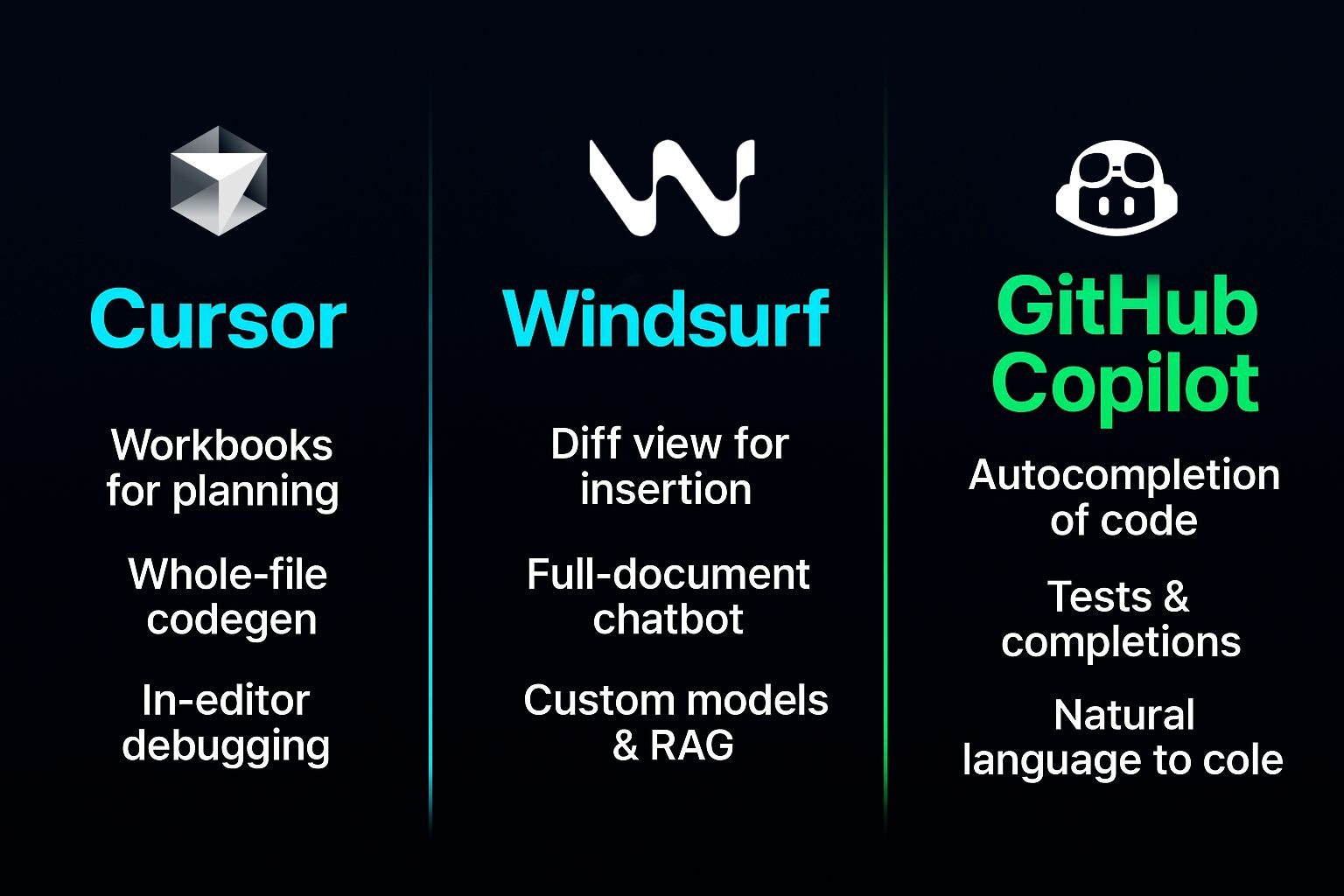
Cursor vs. GitHub Copilot
Cursor is winning in 2025. While GitHub Copilot pioneered the space, Cursor offers significantly better capabilities:
Cursor's Composer can generate entire applications based on descriptions and matches your project's coding style
Cursor's Agent Mode reads your entire codebase and makes multi-file changes
Cursor supports more AI models natively (OpenAI, Claude, Gemini, Grok, DeepSeek) versus Copilot's limited options
GitHub Copilot excels at quick inline suggestions and existing integrations with enterprise GitHub workflows
For most developers in 2025, Cursor is the better choice. It's built ground-up as an AI-first IDE rather than a plugin on top of VS Code.
Honorable mentions:
ChatGPT - Best for learning and quick wins; no setup friction
Amazon Q Developer - Great if you're AWS-centric; security-focused
Tabnine - Excellent for privacy-conscious teams; locally-trained models
DeepCode by Snyk - Specialized in security code review
Windsurf - Emerging challenger to Cursor with diff view capabilities
How To Actually Use AI Coding Tools Without Wasting Your Time
This is the real secret that separates developers who benefit from AI and those who waste months on it.
1. Choose The Right Tool For The Job
Before you open your IDE, think about what you're building:
Writing a new function? Use inline generation (Cursor's Cmd+K or Copilot's inline suggestions)
Rebuilding a service from v1 to v2? Use an agentic framework (Cursor Agent or Copilot Agent) to plan multi-file changes
Migrating large codebases? Use Cursor's Composer or Claude's multi-file context
Don't use a sledgehammer to hang a picture. Don't use an agent when inline generation would be faster.
2. Train The Tool With Your Codebase
Raw models don't understand your team's conventions. The best results come from:
Starting with foundational code patterns
Providing examples of your style and architecture
Using
.cursor_rulesfiles (in Cursor) or system prompts (in Claude) to encode your standards
Cursor will learn your naming conventions, import patterns, and architectural style. Claude accepts detailed system prompts describing your codebase structure.
3. Make a Plan Before Generating Code
Don't just prompt: "Generate login functionality"
Instead:
Define the requirements clearly
Specify libraries and frameworks
Describe edge cases and error handling
Mention security requirements (encryption, rate limiting, etc.)
Specificity reduces hallucinations and security vulnerabilities by ~40%.
4. Always Review and Test
This is non-negotiable. Every line of AI-generated code should be:
Reviewed for logic errors
Tested with edge cases
Security-audited (especially cryptographic, database, or user-input handling code)
Checked for non-existent dependencies or API calls
The METR study found developers slow with AI are the ones who don't properly review outputs.
5. Use AI For High-Leverage Tasks
Focus AI on:
Boilerplate that's tedious but low-risk
Debugging assistance for non-critical paths
Documentation and comment generation
Test coverage expansion
Don't use it for:
Core business logic
Authentication and authorization
Cryptographic implementations
Security-critical validation
6. Keep a "WTF AI" Journal
Document every failure—hallucinated API calls, security oversights, misnamed types. Those failures become patterns. You'll start noticing that your AI tool always mishandles [specific pattern]. That's when you adjust your approach.
Frequently Asked Questions
The Real ROI: When AI Coding Actually Pays
Here's a real case study. A product company deployed GitHub Copilot to 80 engineers. After 2 months:
Cycle time dropped from 6.1 to 5.3 days
Developer satisfaction increased 9 points
Time reclaimed averaged 2.4 hours per week per engineer
The math:
2.4 hours × 80 engineers × 4 weeks = 768 hours/month saved
At ~$78/hour (based on $150K/year salary) = $59,900/month value
Copilot costs: 80 × $19 = $1,520/month
ROI: ~39x
But here's what they did differently: They measured actual cycle time, deployment frequency, and quality metrics. They didn't just count "code generation speed."
Companies reporting real gains (30%+) reimagined their entire development process. Those only measuring code generation speed? They report tiny gains or losses.
The Bottom Line: AI Coding in 2025
AI code generation is neither a massive failure nor a 10x productivity miracle. It's a tool with specific, high-value use cases.
The hype was always going to be wrong. VCs need stories. Founders need headlines. Reality is messier.
Here's what we actually know:
✅ AI excels at boilerplate, documentation, and simple bugs
✅ AI saves experienced developers the most time on onboarding (nearly 2x faster)
✅ Real ROI comes from reimagining your development lifecycle, not just measuring code generation speed
✅ Security vulnerabilities are a serious, ongoing concern that most teams ignore
❌ AI is not 10x faster for experienced developers on complex work
❌ Perceived productivity gains don't translate to actual delivery improvements when measured rigorously
❌ Debugging and reviewing AI code takes longer than writing it manually for complex tasks
❌ Security vulnerabilities introduced by AI are still a critical risk
The developers and teams winning with AI in 2025 aren't the ones expecting it to write their architecture. They're the ones using it strategically—boilerplate generation, documentation, junior developer onboarding—while keeping humans in control of the decisions that actually matter.
Use AI. But use it smartly.